
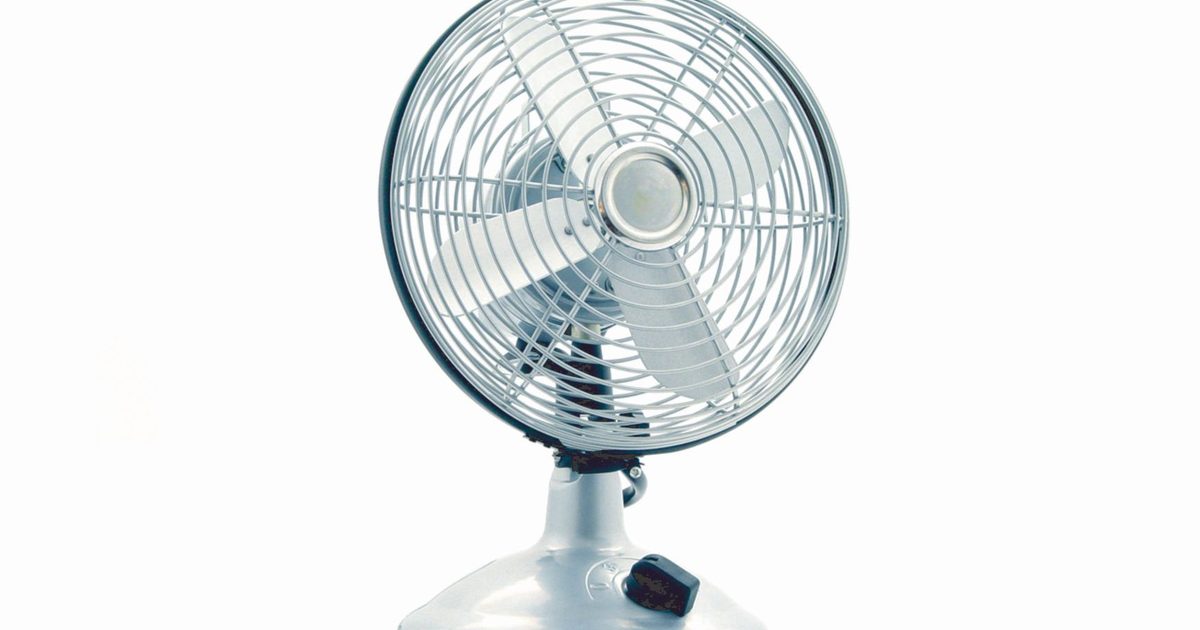
A desk fan earns its place in a home office only if you can forget it is on. The moment it rattles or drones it starts competing with your own thoughts, and it turns up on every call as a wash of background hiss. So the first spec that matters is not how much air a fan shifts but how little of itself you can hear while it does it. The catch is that quiet and powerful tend to pull against each other. A fan gentle enough to sit beside your keyboard rarely moves much air past it, and the one that keeps a whole room comfortable is often the one you reach to switch off when someone dials in. The two fans below sit at the two ends of that trade-off: one built to be nearly silent on a small desk, and one built to keep a room moving without getting loud. Both makers publish their own noise and airflow figures, and where that is all there is to go on, this guide says so rather than dressing a marketing number up as a measurement.
Two fans for a quiet home office
1. Iris Ohyama Woozoo Table Fan - Best Overall
HSP Score: 8.9 / 10 - Oscillates across a whole room at a maker-rated 35 decibels. The sensible default.
Capability 8.9/10 - Versatility 8.5/10 - Build 8.0/10 - Value 8.9/10 - Fit 9.4/10
Fit for this guide: The all-round choice for a home office, where one oscillating fan beats a fan aimed at a single chair.
Every pick here is scored out of 10: four marks rate the product and are the same in every guide, and the fifth rates its fit for this guide - how we test and score.
The Woozoo is the fan most home offices should start with, because it cools the room rather than just the chair. Iris Ohyama builds it as a compact air mover with multi-directional oscillation, so it sweeps air side to side and up and down instead of pointing a single stream at one spot. The maker says it keeps air moving across a space of up to 43 square metres, which is a room claim rather than a measurement we have taken, but it is the reason this is the all-round pick over a personal fan. It is rated at a quiet 35 decibels, low enough to leave running through a meeting, and it comes with a remote so you are not reaching under the desk to change speed. It is the larger of the two here, so it wants a clear corner of the desk or a spot on the floor rather than a crowded worktop.
Pros
- ✓ Multi-directional oscillation spreads air around the room, not just at the seat in front of it
- ✓ Quiet enough to leave running through a meeting, not just a quick call
Cons
- ✗ It is the larger of the two, so a small or crowded desk may suit the Dreo better
- ✗ At a rated 35 decibels it is audible up close, a touch louder than the near-silent Dreo on a quiet call
Who it's for: Anyone who wants one fan to keep a whole home office moving and oscillating, and can give it a bit of desk or floor space.
Who it's not for: Anyone on a tiny desk, or recording audio right next to it, where the smaller and quieter Dreo fits better.
2. Dreo Smart Table Fan (7-inch) - Best Budget
HSP Score: 8.5 / 10 - A 7-inch air circulator Dreo rates at 28 decibels, small enough to share the desk. The spend-less route.
Capability 8.5/10 - Versatility 8.0/10 - Build 8.0/10 - Value 8.9/10 - Fit 8.9/10
Fit for this guide: The spend-less, quietest pick for a small desk or back-to-back calls, where you want air on you and almost no fan to hear.
The Dreo is the pick for a desk where space and silence matter more than room coverage. It is a 7-inch air circulator, which means it throws a focused column of air at whoever sits in front of it rather than washing a breeze around the room. Dreo rates it at 28 decibels, the quieter of the two, and in practice that is the kind of fan you forget is running until you notice the air on your arms. It is small enough to sit on the desk beside a keyboard without taking it over, and it has a remote for changing speed. Its listing does not state that it oscillates, so treat it as a fan you aim at yourself and leave pointed, and do not expect it to cool a warm room the way the oscillating Woozoo will.
Pros
- ✓ The quieter of the two at a stated 28 decibels, easy to forget once a call starts
- ✓ A 7-inch body that sits on the desk beside a keyboard without crowding it
Cons
- ✗ It is a personal fan aimed at one seat, so it will not stir a warm room the way a bigger fan does
- ✗ Its listing does not confirm oscillation, so plan to aim it at yourself and leave it there
Who it's for: Anyone on a small desk, or on back-to-back calls, who wants air on them and as little fan noise as possible.
Who it's not for: Anyone trying to cool a warm room rather than one seat, where the oscillating Woozoo does more.
Quick verdict
For most home offices the fan we would run is the Iris Ohyama Woozoo Table Fan: it oscillates to work the whole room, and it stays quiet enough to sit through a call. If your desk is small, or you want the quieter of the two sitting right beside you on calls, the Dreo Smart Table Fan (7-inch) is the spend-less pick, a near-silent personal fan that cools the seat in front of it rather than the room. We looked for a premium fan to sit above both and did not find one today that we could stand behind and link to a buyable listing, so this guide stays at two picks. We will add a third when one is worth the money.
How to buy a quiet desk fan
- Read the decibel figure with its setting in mind. Makers quote the low number, and it is almost always the reading on the slowest speed. A fan rated at 28 or 35 decibels is quiet on its gentle setting; wind any fan up to full and it gets louder. Take the quoted figure as the floor it can reach, not the level it runs at all day.
- Match the reach to the job before anything else. A personal air circulator like the Dreo aims a focused stream at one seat, while a room fan like the Woozoo oscillates to keep a wider area moving. Decide whether you are cooling yourself or the whole room, because the two fans here are built for different answers.
- Oscillation and a remote are the two features worth paying for. Oscillation spreads the air instead of parking it on one spot, so you are not sitting in one unbroken draught for hours. A remote sounds like a frill until you are mid-call and do not want to duck under the desk to turn the speed down.
- A DC motor and a longer list of speeds help, where a maker actually lists them. Both tend to mean quieter running and finer control over the breeze. Neither listing here spells the motor type out, so we have not claimed it; check the spec box on the day rather than assuming it.
If it is the laptop itself that runs hot rather than you, a fan is the wrong tool and a cooler is the right one. Our laptop cooling pad guide covers that side.
How we chose
The order here comes down to one thing we kept testing against: could you leave this fan running all day, calls included, and stop noticing it was on? Coverage and oscillation are what make the Woozoo the answer for a whole room, so it leads; the Dreo takes the narrower case of a small desk where silence matters more than reach. We have not lived with either fan ourselves, so both sit in the spec-checked tier rather than the hands-on one, and every noise and airflow figure on this page is the maker's own rating lifted from the live listing, never something we measured or guessed. Nobody paid for a place here, and you will not find a price or a star count anywhere on the page, because both drift from week to week and a number pinned down today would only mislead you later.
FAQ
Q: What counts as a quiet desk fan? A: As a rough guide, anything the maker rates around the low 30s of decibels or below is quiet enough to sit beside you on a call, and the two here are rated at 28 and 35 decibels on their gentle settings. Remember that figure is the floor: every fan gets louder as you turn the speed up, so the quiet rating tells you how calm it can be, not how it sounds flat out.
Q: Which of these two should I buy? A: If you want to cool the room and keep air moving while you work, the oscillating Iris Ohyama Woozoo is the all-round choice. If your desk is tight or you mainly want a near-silent breeze on yourself during calls, the smaller Dreo is the cheaper, quieter answer.
Q: Is an air circulator different from a normal desk fan? A: A little. An air circulator, like the Dreo, is shaped to throw a tighter, further-reaching column of air rather than a soft nearby breeze, so it reaches you from a bit further back. For a desk that mostly means you can set it to one side instead of square in front of your face.
Q: Why is there no premium pick? A: We only list a product when we can point you to a live listing we would buy from ourselves. The fan we would have put in a premium slot did not have one we would send you to on the day we checked, so rather than hand you a link you cannot act on, we left the slot out. We will add a third pick when a fan earns the place and we can link it with a clear conscience.
Q: Will a desk fan help me stay cool on video calls? A: It can keep the air around you moving, which is the comfort most home workers are after in summer. Point an oscillating fan so it sweeps past you rather than straight at a microphone, and keep it on a low speed on calls so the other side does not hear it.
Affiliate disclosure: This page contains affiliate links. As an Amazon Associate we earn from qualifying purchases, at no extra cost to you. See our disclosure page for details.