
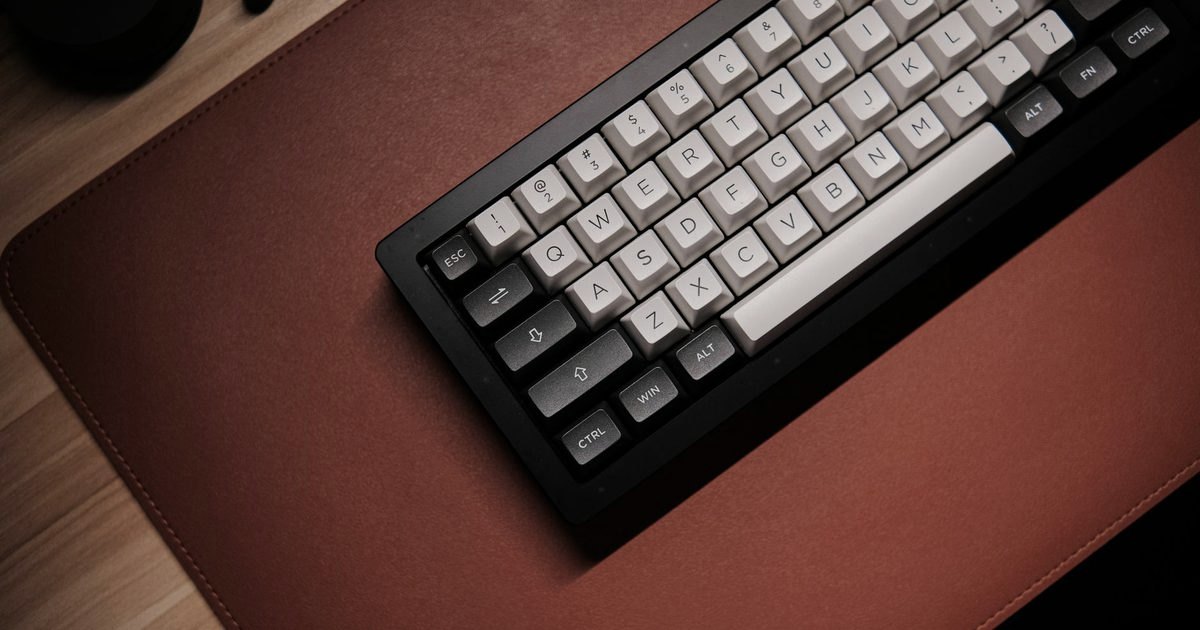
A desk goes untidy in two different places, and they want two different purchases. The desktop is the visible one: keyboard and mouse on three different textures, over a scuffed patch of veneer. The other is everything the desktop hides, where an extension block and a loop of slack sit on the carpet. Fix one and not the other and the desk still looks half-finished: a smart mat above a nest of wires, or a tidy floor under a battered desktop. One of each is named below: the Nordik mat and the D-Line box. The bigger half of this page is the sequencing, because a desk done in the wrong order gets unplugged twice.
What to buy, and for which job
1. Nordik Leather Desk Mat (Pebble Black, 89x43cm) - Best Overall
HSP Score: 8.9 / 10 - Large leather desk pad, 89x43cm. The one surface both hands land on.
Capability 8.9/10 - Versatility 8.0/10 - Build 8.0/10 - Value 8.9/10 - Fit 9.8/10
Fit for this guide: The desk-mat half of this title wants one surface for keyboard and mouse, and 89 x 43 cm gives it.
Every pick here is scored out of 10: four marks rate the product and are the same in every guide, and the fifth rates its fit for this guide - how we test and score.
The Nordik earns its place on footprint. Its listing gives the size as 89x43cm and the material as leather in a pebble black finish. That width is the figure that decides everything: it's enough for a full-size keyboard and a mouse to share one surface, which is the whole point of a mat over a mouse pad. The catch is depth rather than width. A pad 43cm deep wants a desk deeper than that, with room left behind it for a monitor foot or an arm clamp, so measure from the front edge backwards before ordering. If that measurement comes back short, the search to run is for a smaller desk pad rather than this one squeezed in at an angle. Beyond size, colour and the material name, this listing commits to very little, and the build score reflects that rather than guessing at thickness or backing.
Pros
- ✓ 89x43cm puts a full-size keyboard and a mouse on one continuous surface
- ✓ Pebble black leather per its listing, so it reads as furniture rather than gaming kit
Cons
- ✗ Does nothing for cable clutter on its own, so wire problems still need the tidy box or clips
- ✗ Thickness and backing are not published, so how it sits on the desk is unknown until it lands
- ✗ The listing says leather without saying genuine, bonded or coated, so the surface stays unpinned until you have it
Who it's for: Anyone whose keyboard, mouse and elbows currently sit on three different surfaces.
Who it's not for: Shallow desks, and anyone whose real complaint is the wires rather than the desktop.
2. D-Line Cable Tidy Box Large (415mm, Black) - Best for Cable Management
HSP Score: 8.3 / 10 - Hides an extension block and its slack. Where the mess actually starts.
Capability 8.0/10 - Versatility 8.0/10 - Build 8.0/10 - Value 8.5/10 - Fit 8.9/10
Fit for this guide: The cable half of this title starts at the extension block, and a 415mm box hides it and its slack.
This box has one job: the extension block. The listing puts the outside length at 415mm and describes the material as electrically safe ABS, which is D-Line's wording about its own product rather than anything we have tested. The block and the slack that normally loops across the carpet both have to live inside the same shell, so 415mm of outside length is the figure to hold your own block up against before deciding this one is big enough. What it doesn't do is tidy the runs arriving at it, only the mess at the end of them, so plan on a handful of clips or a sleeve for the cable that crosses the floor. Measure the gap it will live in first, and use all three of the listing's figures while you are there: 165mm wide and 135mm tall is what has to clear a desk leg or a cupboard shelf, and that is more often the constraint than the 415mm length.
Pros
- ✓ 415mm of outside length, listed by D-Line for hiding extension blocks and their wiring
- ✓ D-Line names its material, electrically safe ABS, which is more than the mat's listing says about its own construction
Cons
- ✗ Overkill for a lone laptop charger, which a cable clip already keeps tidy
- ✗ Fixed footprint at 415mm long, 165mm wide and 135mm tall, so the gap has to be measured first
Who it's for: Desks where the power strip is the eyesore, and sit-stand owners whose block currently dangles on its own lead.
Who it's not for: A laptop charger and nothing else, where two clips are enough.
Wire it in this order
Most desk-tidying goes wrong because the cables get routed before anyone decides where the power lives. Work outwards from the block instead.
- The block goes in the box first. Everything downstream is measured from where it ends up, so settle that before a single cable is routed. Block in, its own lead out to the wall, lid closed.
- Route by zone rather than by cable. Do the screen first, then anything the desk itself powers, such as a sit-stand motor, then the things you unplug most weeks. Each zone travels to the box as its own bundle, so one bundle can be pulled later without disturbing the others. If the screen hangs on a monitor arm, send its cable down the pole before it joins anything.
- Leave slack wherever the desk moves. On a sit-stand desk, measure every run at full height, never sitting down. The lead that reaches comfortably at desk height is the one that unplugs itself the first time somebody raises the desk to standing.
- The mat goes down last. It's the one item you'll want to lift and reposition, and it shouldn't be pinning a bundle you've just dressed.
When a tray beats a box
A box lives where the block lives: on the floor, at the back of the desktop, inside a cupboard. A tray fixes underneath the desktop, screwed or clamped depending on the model, and carries the block with the desk, which is what a sit-stand owner really wants, since a floor-standing box turns every height change into a tug of war with the lead. We haven't named a tray here. Nothing we looked at was good enough for us to put our name to, and we would rather leave the gap than point you at a tray we are not sure about.
Quick verdict
If the desktop itself is the problem, start with the Nordik Leather Desk Mat (Pebble Black, 89x43cm): it is sized for a keyboard and mouse together, and it is the quickest way to make a tired desk look deliberate. If the tangle bothers you more than the surface, the D-Line Cable Tidy Box Large (415mm, Black) goes first, and the block gets settled before a single other cable is touched. Most desks want both, and in that order.
How we chose
Neither of these has lived on our desk for months, so the honest label is spec-checked, and we'd rather say that than imply a test we haven't run. We read each live listing, took only the figures it genuinely publishes, scored both against the same criteria we use on every guide, and left the blanks blank instead of filling them with adjectives. Where a maker makes a claim about its own product, as D-Line does about its ABS shell, we say whose claim it is. Nothing here is paid for. We publish no price and no star rating on purpose: whatever the live page shows you today is more accurate than anything we could freeze into this one.
FAQ
Q: Do I need a desk mat and a cable box, or will one do? A: They fix different halves of the same complaint. The mat changes what you look at and rest on; the box changes what you see under and behind the desk. If you only want one, pick the half that annoys you when you sit down.
Q: What size desk mat should I get? A: If you have not yet decided whether you want a full mat or just a mouse pad, settle that first. Measure your keyboard plus the space your mouse actually travels, then check your desk is deeper than the mat before you order. Width is the easy half to get right; the back edge is where orders go wrong, especially once a monitor foot or an arm clamp is sitting there.
Q: How do I hide cables on a desk without drilling? A: A box for the block, adhesive clips along the underside of the desktop for the runs, and a sleeve for the drop to the floor. That covers most desks with nothing screwed in. Trays and channels are the step up, and those usually do want fixing to the desk.
Q: Is it safe to put an extension block inside a box? A: Treat the block's own instructions as the authority, not us: stay inside its rated load, keep high-draw appliances like heaters off it, and don't shut a lid on a tightly coiled lead. D-Line describes this box as made from electrically safe ABS, which is the maker's claim about its own product. We haven't tested it, so we're not going to tell you that enclosing a block makes no difference.
Affiliate disclosure: This page contains affiliate links. As an Amazon Associate we earn from qualifying purchases, at no extra cost to you. See our disclosure page for details.