
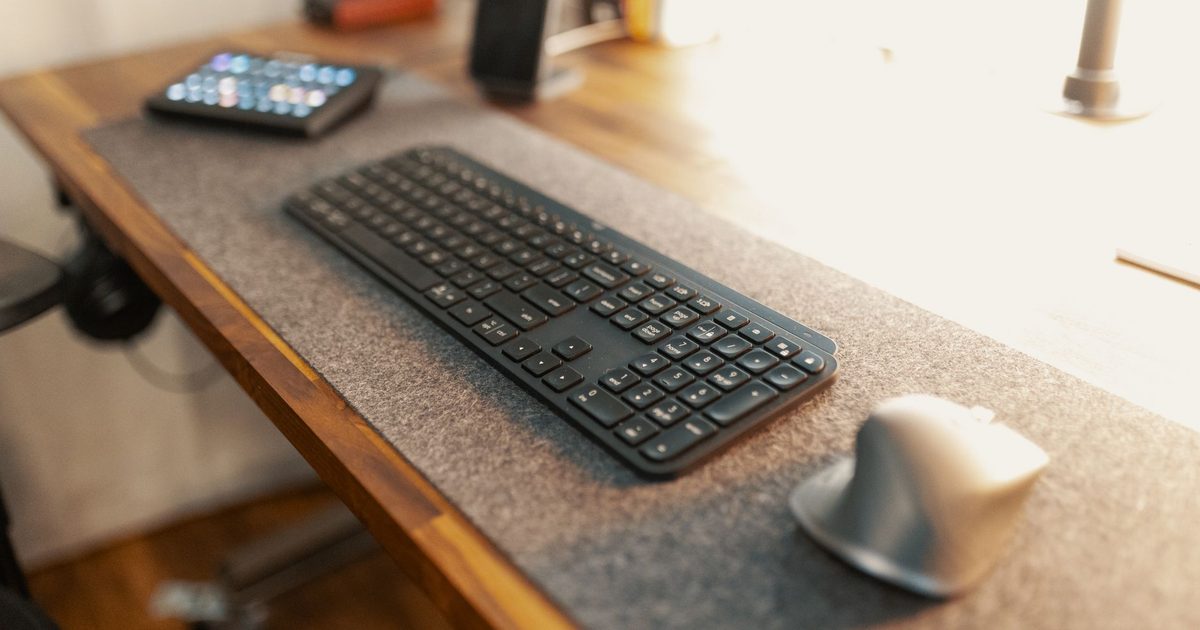
What each one is actually for
A mouse pad is a small surface built for one job: giving an optical mouse a steady patch to track across, and it is rarely much larger than a sheet of paper. A desk mat does that job too, but it is a far bigger pad, wide enough to sit under a full keyboard and the mouse at once and still cover the stretch of desk around them. That size gap is the whole story. A pad looks after the mouse; a mat looks after the part of the desk you work across, which is why it quietly takes on several jobs a pad was never built for.
Which one your desk is asking for
The honest way to choose is by how you work, not by which one wins on paper. If you type on an external keyboard, a mat is the easy call: it puts the keyboard and mouse on one continuous surface instead of two textures and a bare patch between them, and it gives you somewhere steady to write a note or set down a phone. If you mostly drive a laptop on its own trackpad and only reach for a mouse here and there, a mouse pad covers that single job without annexing the desk. And if the desk is small, where every centimetre is already spoken for, the pad is the one that fits. The question underneath all of this is a simple one: how much of the desk do you want a surface over, and is a keyboard part of what sits on it?
Protecting the desk is the quieter reason
There is a second reason a mat tends to win at a desk you care about, and it has nothing to do with the mouse. The mat sits between your gear and the desktop, so it is the mat that wears the keyboard's feet, the crumbs, the ring off a mug and the odd spill, rather than a wood or laminate top that marks and does not recover. A mouse pad guards only the patch beneath the mouse and leaves the rest of the desk in the open. There is a practical bonus on the wrong surface, too: an optical mouse often struggles to track on bare glass or a high-gloss finish, and laying down a mat, or a pad, gives it the matte surface it needs.
Size is the catch, so measure first
The one place a mat goes wrong is space, so measure before you buy. Width is the forgiving half: enough for a full-size keyboard and the room the mouse really travels. Depth is the half that trips people up. A mat has to leave the back edge of the desk clear for whatever lives there, and on a home desk that is often a screen's stand or the clamp of a monitor arm, which needs bare desk to bite on. Measure from the front edge back, set aside room for that clamp, and only then settle on a size. Once a mat is clearly the one and you know the space you can give it, our desk mat and cable management guide covers which mat to pick and how to tidy the wires a mat does nothing about.
FAQ
Q: Can a desk mat replace a mouse pad? A: Yes. A desk mat gives the mouse the same kind of surface a pad does, just a great deal more of it, so there is no reason to keep a separate pad once a mat is down. The mat simply carries the keyboard and the desk around it as well, which is the part a mouse pad never set out to do.
Q: Will an ordinary mouse work on a desk mat? A: On a cloth or leather-look mat, almost always, because those are the matte surfaces an optical mouse reads best. The surface a mouse fights is a bare glass or high-gloss desktop, and giving it a mat is one way to fix exactly that. If you use a mouse that asks for a hard pad, check the mat's surface before buying.
Q: Does a mouse pad have any advantage over a desk mat? A: Two, and both come down to space and money. A pad costs less and asks for almost no room, so on a cramped desk or a tight budget it is the pragmatic pick, and it is easy to move or swap on its own. Past that, anything a pad does a mat does as well, over a far larger area, so the choice really is about how much desk you want covered.