
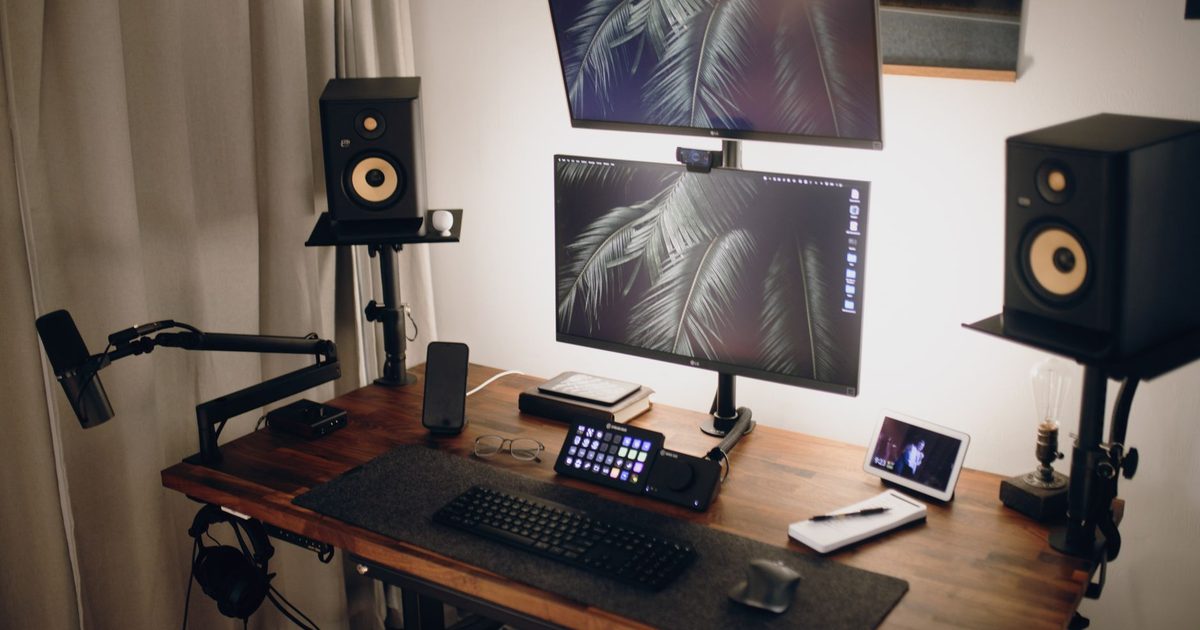
A monitor arm is bought on three numbers, and most of the ways an arm disappoints trace back to one of them: the VESA pattern on the back of your monitor, the weight the arm is rated to carry, and the edge of desk the clamp needs to grip. Get those three right and nearly any decent arm will hold a screen at eye level for years. Get one wrong and no brand name will save you. So this guide leads with the numbers: what each pick is actually rated for, per its own listing, and how to check your monitor and desk against them before you spend anything.
Top picks
1. HUANUO Single Monitor Arm (13-32in, 9kg, VESA 75/100) - Best Overall
HSP Score: 9.1 / 10 - Tool-free height adjustment, 9kg rating, both VESA patterns. The sensible default.
Capability 8.9/10 - Versatility 9.4/10 - Build 8.0/10 - Value 8.9/10 - Fit 9.8/10
Fit for this guide: An arm is bought on VESA, weight and clamp, and this one lists 75/100 VESA, a 9kg rating and both mounting routes.
Every pick here is scored out of 10: four marks rate the product and are the same in every guide, and the fifth rates its fit for this guide - how we test and score.
The HUANUO covers the widest slice of real desks, which is why it leads. Its listing rates it for 13 to 32 inch screens up to 9kg, with both VESA patterns (75x75 and 100x100) and a choice of C-clamp or grommet mounting, so it fits the monitor most people actually own and the desk they actually have. Height adjusts tool-free, and the head tilts, swivels and rotates for portrait work. That 9kg ceiling is the number to check first: most 24 to 27 inch monitors sit comfortably under it, but a heavy 32 inch panel can brush against it, and an arm at the top of its rating holds position less confidently than one with headroom.
Pros
- ✓ 9kg rating with both VESA patterns, the two numbers that decide fit
- ✓ Tool-free height adjustment plus tilt, swivel and full rotation for portrait mode
- ✓ C-clamp and grommet mounting options listed, so a tricky desk edge has a fallback
Cons
- ✗ A heavy 32in panel sits close to the 9kg ceiling, with little headroom left to hold position
- ✗ Makes no warranty promise we could verify, unlike the premium pick's 10 years
Who it's for: Anyone putting one ordinary monitor at eye level without fuss - the sensible default.
Who it's not for: Owners of heavy ultrawides, who should weigh their panel and read the premium pick.
2. Amazon Basics Single Monitor Stand (Height Adjustable Arm, Steel) - Best Budget
HSP Score: 8.4 / 10 - Steel height-adjustable arm with cable routing. The spend-less route.
Capability 8.0/10 - Versatility 8.5/10 - Build 8.0/10 - Value 8.9/10 - Fit 8.5/10
Fit for this guide: A steel height-adjustable arm puts an ordinary monitor at eye level and routes the cable down the pole.
The honest budget case: if your monitor is a common size and your desk has a normal edge, this steel arm does the one job that matters - it gets the screen off its factory stand and up to eye level - and reclaims the desk space underneath. The spec sheet we could verify is short, which cuts both ways: you get steel construction and height adjustment, with cable routing through a hole in the back of the pole, but not the detailed weight and size ratings the other two picks publish. That's the trade at this end of the market, and it's why we score its capability conservatively rather than guessing on your behalf.
Pros
- ✓ Does the core job - screen at eye level, desk space back - in steel
- ✓ Cables route through a hole in the back of the pole, per the listing, so the clean-desk win is real
Cons
- ✗ Desk clamp is the only mount its listing names, so a grommet or wall fixing is not an option
- ✗ Height adjustment is the only movement its title commits to; the overall pick lists tilt, swivel and rotate
Who it's for: One everyday monitor, a normal desk edge, and a preference for spending less.
Who it's not for: Anyone with a heavy or unusual monitor - buy an arm that publishes its ratings.
3. Ergotron LX Premium Monitor Arm (34in, 3.2-11.3kg) - Best Premium
HSP Score: 8.6 / 10 - Rated for ultrawides to 34in and 11.3kg, with a 10-year warranty. The buy-once pick.
Capability 8.9/10 - Versatility 8.5/10 - Build 9.8/10 - Value 8.0/10 - Fit 8.0/10
Fit for this guide: Its 3.2 to 11.3kg range and 34in fit answer ultrawide owners rather than the standard monitor this guide assumes.
The LX is the arm you buy when the numbers have to stretch furthest. Ergotron rates this one for flat, curved and ultrawide monitors up to 34 inches, across a published 3.2 to 11.3kg range, on either VESA pattern - the widest verified envelope here, with the heavy end covered properly rather than approached nervously. The build is the other half of the price: Ergotron backs the LX line with a 10-year warranty, which says more about the internals than any adjective could. The honest caveat is that a run-of-the-mill 24in panel doesn't need this envelope, and the value score reflects paying for capability you may never load.
Pros
- ✓ Published 3.2-11.3kg range and 34in ultrawide rating - the widest verified envelope here
- ✓ Ergotron's 10-year warranty on the LX line, per its listing
- ✓ Matte black finish, and both VESA patterns listed, so it takes the same monitor backs as the overall pick
Cons
- ✗ Priced for an envelope a single ordinary monitor never uses
- ✗ Its published range starts at 3.2kg, so a very light panel sits outside it at the bottom end
Who it's for: Ultrawide and heavy-panel owners, and anyone who wants the arm bought once and forgotten.
Who it's not for: A standard 24-27in monitor on a budget - the savings belong elsewhere in your setup.
Quick verdict
For most desks the HUANUO Single Monitor Arm (13-32in, 9kg, VESA 75/100) is the arm to buy: the widest practical fit for ordinary monitors, tool-free adjustment, and both mounting routes listed. The budget route asks one question first - is your monitor nothing unusual? If so, the Amazon Basics Single Monitor Stand (Height Adjustable Arm, Steel) does the eye-level job in steel for less. And if you're hanging an ultrawide or simply want the arm with the decade-long warranty, it's the Ergotron LX Premium Monitor Arm (34in, 3.2-11.3kg).
Check the three numbers before you buy
- VESA pattern. Look at the back of your monitor for four screw holes in a square - 75x75mm or 100x100mm. The overall and premium picks take both (the budget pick publishes no VESA figure we could verify), but a few slim monitors have no holes at all and need an adapter plate from the monitor's maker before any arm will fit. Our guide to whether a monitor arm will fit your monitor walks through finding the pattern, reading the weight rating and the no-holes case in full.
- Panel weight. It's in your monitor's spec sheet, stand excluded. Compare it to the arm's published rating and leave headroom: an arm loaded to its ceiling drifts and sags sooner than one cruising at half load.
- Desk edge. A clamp needs a few centimetres of clear, solid edge - not glass, and not on top of a cross-beam. If the edge is awkward, the overall pick lists a grommet option that bolts through a cable hole instead.
One thing the three numbers do not cover: the moment the screen lifts off its stand, the cable that used to hide behind it is suddenly on show. Our desk mat and cable management guide deals with that half of the desk. Lighting is the other thing an arm changes: raise the screen and a desk lamp starts throwing glare back off the glass, which is the problem our monitor light bar guide is about. A webcam usually clips to the top of that same screen, so getting the arm's height right puts the camera at eye level too. Our webcam for work calls guide covers picking one. And if you work on the laptop itself rather than an external monitor, a stand lifts its screen to the same eye level - our laptop stand guide picks two. When the whole desk rises and falls, an arm earns its keep by holding the screen at eye level as you move between sitting and standing, which our standing desk height guide sets up from the desk side.
How we chose
Home Setup Picks is new, and we'd rather be straight about method than imply miles we haven't driven: these are spec-checked picks, not long-term tests. That means we verified each product's live listing, compared the published ratings - screen size, weight range, VESA support, mounting options, warranty - and scored them against the same criteria we use on every guide. Where a listing publishes less, the score says so rather than filling gaps with optimism, which is exactly what happened to the budget pick's capability number. No sponsored placements, and no prices or star ratings repeated here - listings drift, so check the live page.
FAQ
Q: Will a monitor arm fit my desk? A: If the desk has a few centimetres of solid, accessible edge, a clamp fits. Glass desks, very thick tops and edges with support beams underneath are the usual blockers - measure the edge thickness against the arm listing's clamp range, or use a grommet mount through a cable hole where the arm includes one. Our full desk-fit check measures the edge and walks the grommet route in detail.
Q: How do I know if my monitor is VESA compatible? A: Check the back for four screw holes in a 75mm or 100mm square, or search your monitor's model number plus "VESA". Monitors without holes need the maker's own adapter bracket, if one exists, before any arm here will take them.
Q: Can these arms hold an ultrawide monitor? A: The Ergotron is the only pick here rated for ultrawides by name, up to 34 inches and 11.3kg. A light ultrawide can sit within the HUANUO's 9kg and 32in ratings on paper, but wide panels twist an arm harder than their weight suggests, so we'd match an ultrawide to the arm that's rated for it.
Q: What about dual-monitor arms? A: This guide covers single arms only. A dual arm doubles the load maths and halves the margin for error, so it gets a guide of its own: our dual monitor arm guide picks three, with the per-arm weight and the shared desk edge explained.
Q: Should I get a monitor arm or a riser instead? A: A riser is the simpler, cheaper lift when one screen sits in one place at a height that already suits you and never needs to move. An arm earns its extra cost when you want to change the position or clear the desk under the screen, and when your monitor has the VESA holes and the weight for it. Our monitor riser or monitor arm guide works through that choice before you land on a product.
Q: Why do cheap monitor arms sag? A: Usually a mismatch, not a defect: the panel sits at the top of the arm's rated range, so the spring or friction joints hold it at the limit of what they can do. Buying with weight headroom - and tightening the tension screws the manual points to - prevents most of it.
Q: How high should I set the monitor on the arm? A: Bring the top of the screen level with your eyes, about an arm's length away. Our monitor height guide walks through the HSE rule and how to check it for your own height. An arm makes hitting that mark easy, because you set the height by hand rather than living with a fixed stand.
Q: Can a monitor arm help with screen glare? A: It can, by letting you swivel and tilt the screen off a reflection without moving the whole desk. The HSE's steer is to find the light causing the glare first, then angle the screen away from it, and an arm turns that last step into a two-second adjustment. Our guide to stopping screen glare covers the full routine, from the mirror test to where filters finally fit.
Affiliate disclosure: This page contains affiliate links. As an Amazon Associate we earn from qualifying purchases, at no extra cost to you. See our disclosure page for details.