
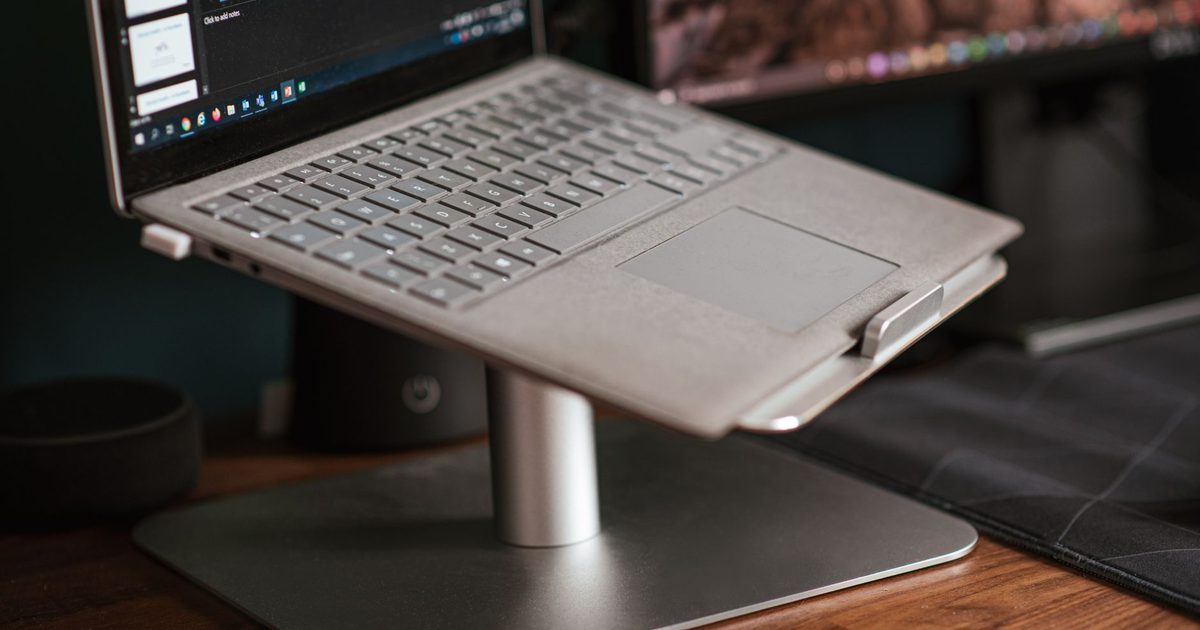
The real decision on a laptop stand is not the brand, it is a fork: a fixed riser or an adjustable one. A fixed riser is a single rigid shape that sets the screen at one height and never moves again. An adjustable stand trades some of that rigidity for a range of heights and, usually, a folding hinge for travel. For a desk you sit at all day, the fixed riser is almost always the right answer, and it is the one this guide leans on. Below are the two fixed aluminium risers we would actually put our name to, followed by what to look for if you would rather have the adjustable kind.
The two stands to buy
1. SOUNDANCE LS1 Laptop Stand (Aluminium Fixed Riser, 10-15.6in) - Best Overall
HSP Score: 8.6 / 10 - A fixed aluminium riser that sets a 10 to 15.6 inch laptop at one steady height. The plain riser most desks want.
Capability 8.0/10 - Versatility 7.6/10 - Build 8.0/10 - Value 8.9/10 - Fit 9.8/10
Fit for this guide: At a desk you sit at all day, one correct height and a rigid aluminium body serve you better than a folding hinge.
Every pick here is scored out of 10: four marks rate the product and are the same in every guide, and the fifth rates its fit for this guide - how we test and score.
The LS1 is the stand we would fit for most people, and the reason is that it does one thing without fuss. It is a fixed aluminium riser sized for laptops from 10 to 15.6 inches, and it lifts the screen so you look straight at it rather than down at a low lid. Because it is a single rigid shape rather than a jointed one, there is nothing to sag or drift once it is set, and its open body lets air reach the underside of the laptop while it works. What you give up is choice: the height it sets is the height you get, so it suits someone at one desk far more than someone hot-desking between two. For a fixed home-office setup that is barely a sacrifice, and it is the plainest way to get the screen up where it belongs.
Pros
- ✓ A single rigid aluminium shape, so nothing to loosen or re-level once it is placed
- ✓ Open underneath, so heat is not trapped between the laptop and a closed shelf
Cons
- ✗ Fixed height and angle, so it cannot be lowered for a shorter desk or raised for a taller person
- ✗ Fits up to a 15.6 inch laptop, so a 16 inch machine or larger is beyond its rated size
Who it's for: Anyone at a single desk who wants the screen higher and does not need to move the stand around.
Who it's not for: Hot-deskers and travellers, and anyone with a 16 inch or larger laptop.
2. Rain Design mStand Laptop Stand (Single-Piece Aluminium, Space Grey) - Best Premium
HSP Score: 8.4 / 10 - One piece of aluminium, 150mm tall, with a cable outlet and room for a 16 inch laptop. The step up for a bigger machine.
Capability 8.9/10 - Versatility 7.6/10 - Build 8.0/10 - Value 8.0/10 - Fit 8.9/10
Fit for this guide: A rigid single-piece riser that fits a larger laptop and hides a cable, if the finish and build are what you want.
The mStand is the same idea as the LS1 taken to a higher finish, and for some desks that finish is the point. Rain Design makes it from a single piece of aluminium rather than assembling it, which is why it feels like one solid object and not a set of folded panels; the maker gives its height as 150mm and says it takes laptops up to a 16 inch MacBook Pro, so a larger machine that defeats the LS1 sits on this one. It has a cable outlet to route a charger or a dock lead out of sight, a small touch the plain risers skip. It is fixed, like the LS1, so the 150mm height is what you get; on a shallow or low desk that can push a tall sitter's screen higher than they want, so it rewards a desk with a little room. Choose it if you want the sturdier object and the larger laptop it carries.
Pros
- ✓ One single piece of aluminium with forged edges, so it is as rigid as a fixed riser gets
- ✓ Holds up to a 16 inch MacBook Pro, and routes a cable out of the way through its outlet
Cons
- ✗ Its Space Grey, MacBook-styled look sits best beside Apple kit and can feel plain next to a black PC laptop
- ✗ No more adjustable than the LS1, so what you gain is finish and a larger laptop fit, not flexibility
Who it's for: Anyone who wants the sturdiest fixed riser, a 16 inch laptop supported, and a cable tucked away.
Who it's not for: Anyone happy with a plain riser, or who needs the height to change.
Fixed or adjustable
The choice between the two is really a choice about how your day works. A fixed riser wins when your laptop lives on one desk: it sets the screen once, holds it dead still, and gives you nothing to fiddle with or knock out of position. An adjustable stand earns its keep when the height needs to change - when two people share the desk, when you alternate between typing on the laptop's own keyboard and pushing it back to reach an external one, or when the stand has to fold flat and travel. The trade is rigidity: a hinge that moves is a hinge that can flex or slip under a heavier laptop, and the folding travel stands in particular are steadier as a perch for reading than as a full-time typing base. If your honest answer is that it sits on this desk and stays there, buy the fixed riser and do not think about it again.
The adjustable option
Some people still want that height range, for the reasons above, and that is a fair choice. We have not named an adjustable model as a pick here, and the reason is our own rule rather than any fault in them. We re-check a pick's live listing on the day we publish, and none of the adjustable aluminium models we would otherwise recommend - the OMOTON, Nulaxy and Lamicall risers and their close cousins - cleared that check this time, so rather than send you to one on trust we have stayed with the fixed risers we can stand behind. If you go looking for an adjustable stand yourself, judge it on the same marks we used above: that the frame is aluminium rather than flexing plastic, that its stated weight limit clears your laptop with room to spare, and that the hinge holds its height under a heavier machine rather than creeping down as the day goes on. Get those three right and an adjustable stand is a good buy.
Get the height right
A stand is only half the job; where it puts the screen is the other half. Aim to get the top of the screen roughly level with your eyes when you are sitting up straight, so your eyes meet the screen instead of dropping to a low lid. A riser gets a laptop most of the way there on its own. The part it cannot solve is the keyboard: once the screen is up at eye level the built-in keyboard rises with it and is no longer at a comfortable height to type on, so a separate keyboard and mouse are the natural next buy. And if you run the laptop alongside an external monitor, get both to the same height - our monitor arm guide covers lifting the second screen, and a stand like these handles the laptop. On a sit-stand desk it matters twice over, since the screen has to land at eye level whether the desk is up or down; our standing desk height guide covers getting the desk there first.
Quick verdict
For most desks the stand to buy is the SOUNDANCE LS1 Laptop Stand (Aluminium Fixed Riser, 10-15.6in): a rigid aluminium riser that sets a 10 to 15.6 inch laptop at the right height and asks nothing more of you. If your laptop is larger, or you want the sturdier single-piece object with a cable outlet, the Rain Design mStand Laptop Stand (Single-Piece Aluminium, Space Grey) takes a 16 inch machine and hides a lead, and feels like one solid object for it. If you would rather have height adjustment, use the checklist above to choose a good adjustable stand rather than settling for the first link you find.
How we chose
A riser is a simple object, and a spec read tells you most of what matters. Even so, we have not had either of these on a desk for months, so we call them spec-checked rather than hands-on and leave it there. We read each live listing and the maker's own page on the day, took only the figures they actually publish - Rain Design's 150mm height and its 16 inch limit, the LS1's 10 to 15.6 inch range - and left the rest unstated rather than guessing at a weight limit or a thickness. We checked both stands on the same four marks we use across the site, and then a fifth for how well each answers this guide's question, which is why the plainer fixed riser sits above the premium one here. Nothing here is paid for, and you will not see a price or a star rating on the page, because both change faster than we could keep this up to date.
FAQ
Q: Do I actually need a laptop stand, or is a stack of books fine? A: A stack of books does the same physical job - it lifts the screen. What a stand adds is stability, airflow underneath, and not having a tower of books slide around. If you only want the screen up for the odd call, books will do; for a desk you use all day, a rigid riser is steadier and lets air move around the machine. How much that airflow really does for heat is its own question - does a laptop stand help with cooling covers what a stand can and cannot do, and if the heat only shows up when you push the machine hard, a laptop cooling pad moves air actively in a way a passive riser cannot.
Q: Is a fixed riser or an adjustable stand better for a home office? A: For a desk you sit at every day, a fixed riser is usually the better buy: it is more rigid and has nothing to slip. An adjustable stand is worth it when the height genuinely needs to change - a shared desk, or a stand that folds up to travel. Pick the fixed one unless you can name the reason you need movement.
Q: Will these raise my screen enough on their own? A: A riser lifts the screen a good deal - the mStand's own figure is 150mm - but enough depends on your chair and desk height. The target is the top of the screen near eye level. If a riser alone still leaves you looking down, that is usually a sign the laptop needs an external monitor at the right height rather than a taller stand.
Q: Can I use a laptop stand with an external monitor? A: Yes, and it is a common setup. The stand lifts the laptop to act as a second screen, and you match it to the height of your main monitor so the two line up. A monitor arm is the easiest way to get the main screen to the same level.
Q: Are aluminium stands better than plastic ones? A: For holding a laptop steady, aluminium has the edge: it is more rigid, so it does not flex or bow under the weight, and it carries heat away from the machine rather than trapping it. Plastic stands can be fine for light use, but under a heavier laptop they are the ones that sag or creep. Between two otherwise similar stands, the metal one is usually the safer pick.
Affiliate disclosure: This page contains affiliate links. As an Amazon Associate we earn from qualifying purchases, at no extra cost to you. See our disclosure page for details.