
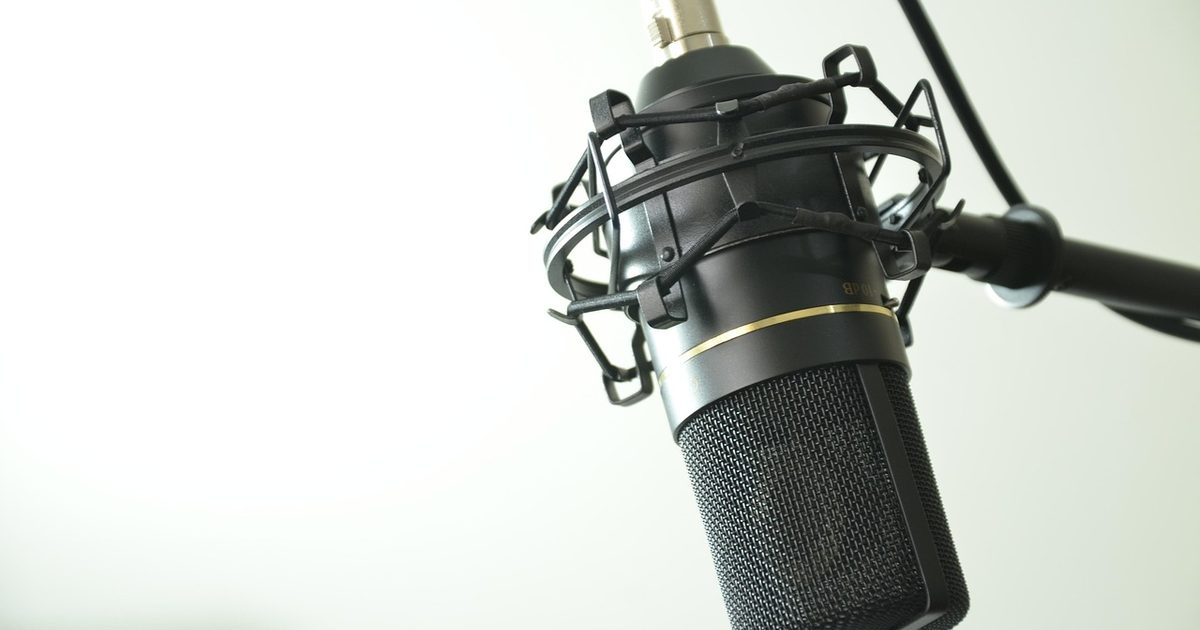
If what you really want is one gadget that handles a whole meeting - speaker, microphone and call buttons in a single puck - a desktop microphone is the wrong page, and our speakerphone guide is the right one. A USB microphone does one job: it makes your voice sound close and clear to the person at the other end, the way a proper setup should. It does nothing for what you hear, so you still listen on headphones or earbuds, and it is only worth the money when talking well is part of how you work - back-to-back calls, the odd bit of narration, a podcast on the side.
The good news for a home office is that the expensive part of a studio microphone is wasted on you. Meeting apps squeeze the audio hard before it ever reaches the other side, so a broadcast sample rate is money spent on quality the call throws away. What actually reaches the listener is a close, front-facing capsule in a reasonably quiet room. The three below are ranked on exactly that: how well each one carries one voice, at one desk, down a compressed line.
Three desk microphones, ranked for calls
1. Logitech G Blue Yeti USB Microphone - Best Overall
HSP Score: 9.1 / 10 - Four pickup patterns with every control on the body, at a fair desk price.
Capability 8.9/10 - Versatility 9.4/10 - Build 8.9/10 - Value 8.9/10 - Fit 9.4/10
Fit for this guide: A cardioid capsule for solo calls, hardware mute and gain to hand, and three more patterns for the day the job changes.
Every pick here is scored out of 10: four marks rate the product and are the same in every guide, and the fifth rates its fit for this guide - how we test and score.
The Yeti is the one most desks should buy because it never boxes you in. Set it to cardioid, the pattern that listens to what is in front of it and ignores the rest, and it is a tidy solo-call microphone that keeps your voice forward and the room behind you. But it also switches to three other patterns the day the job changes: omnidirectional to catch a table of people, bidirectional for a face-to-face interview, stereo for anything musical. The controls are all physical, which matters more day to day than any of that: a gain dial on the front to set your level, a button that mutes you in hardware without hunting through the app, and a headphone socket that lets you hear yourself with no delay so you can tell when you are popping your Ps or drifting off the capsule. It is a plug-and-play USB device that Teams, Zoom and Meet detect on their own, with no setup needed. It is the versatile default: not the last word in any one thing, and the better for it.
Pros
- ✓ Four selectable pickup patterns, so it covers solo calls today and a two-person recording later
- ✓ A gain dial, a hardware mute and a no-delay headphone socket, all on the microphone rather than buried in software
Cons
- ✗ It connects over the older micro-USB rather than USB-C, so you may be minding the bundled cable
- ✗ It is the largest of the three and stands tall in front of the screen, so a short desk feels it
Who it's for: Anyone who wants one microphone that handles daily calls now and the occasional recording later, with the controls to hand.
Who it's not for: Anyone short on desk depth, or who only ever needs a plain cardioid capsule and would rather not pay for three patterns they will not use.
2. FIFINE K669B USB Condenser Microphone - Best Budget
HSP Score: 8.5 / 10 - A cardioid capsule and a single dial, stripped back to the essentials.
Capability 8.5/10 - Versatility 8.0/10 - Build 8.0/10 - Value 8.9/10 - Fit 8.9/10
Fit for this guide: A cardioid capsule and a volume dial for close-miked calls, if you can do without on-mic monitoring or a physical mute.
The FIFINE proves how little you need to close the biggest gap, which is the one between a laptop's built-in microphone and a proper one sat in front of you. It is a fixed-cardioid condenser in a metal body with a single job: pick up the voice pointed at it and leave the fan and the far wall out of it. There is a volume dial on the front and a stand in the box, and that is the tour - no pattern switch, no software, no drivers, plug it in and talk. What you give up against the Yeti is the hardware you feel for on a busy day: there is no physical mute button, so you mute in the meeting app instead, and no headphone socket on the microphone, so you cannot monitor yourself directly. Neither changes how you sound to the other side, which is the point. For a first real microphone, or a second desk that only needs to sound decent on a call, it does the load-bearing work and skips the rest.
Pros
- ✓ A fixed cardioid capsule that keeps your voice forward and the room behind, in a solid metal body
- ✓ Genuinely plug-and-play: one cable, one dial, no software or drivers to set up
Cons
- ✗ No hardware mute button, so muting happens in the meeting app rather than under your thumb
- ✗ No headphone socket on the microphone, so you cannot hear yourself back without routing through the computer
Who it's for: Anyone who wants their voice to jump from laptop-tinny to close and clear for the least outlay.
Who it's not for: Anyone who wants to mute on the hardware, monitor themselves live, or switch pickup patterns.
3. Elgato Wave:3 USB Condenser Microphone - Best Premium
HSP Score: 8.7 / 10 - Broadcast-grade capture and app mixing, more than a call will ever ask.
Capability 8.9/10 - Versatility 8.9/10 - Build 8.9/10 - Value 8.0/10 - Fit 8.5/10
Fit for this guide: More microphone than a call needs: its Clipguard and mixing app pay off when you record, not on a compressed meeting line.
The Wave:3 is the pick for someone whose voice is part of the product - a podcast, a stream, narration you publish - and who also happens to take calls. It is a cardioid condenser like the FIFINE, but built around features that pay off when you are recording rather than conferencing. Clipguard is the part that counts: it catches a sudden laugh or a slammed desk before it distorts, so a take is not ruined by one loud moment. A capacitive top plate mutes with a tap, a headphone output gives you latency-free monitoring, and it connects over USB-C. The catch for this guide is honest and worth saying plainly: most of that is aimed at material you keep. Once your voice goes down a Teams or Zoom line it is compressed to a fraction of what any of these microphones capture, so the Wave:3 does not make you clearer on a call than the Yeti does. Buy it because you record and want room to grow, not because it will improve the stand-up.
Pros
- ✓ Clipguard catches sudden peaks before they distort, which protects a recording you cannot redo
- ✓ USB-C, a tap-to-mute plate and Elgato's Wave Link app for mixing several sources on the way in
Cons
- ✗ Its strengths are aimed at recording, so a compressed call hears little of what you pay for
- ✗ A single cardioid pattern, so unlike the Yeti it will not switch to cover a table or an interview
Who it's for: Anyone who records their voice as part of the work and wants headroom, with calls as a bonus.
Who it's not for: Anyone buying purely to sound better on meetings, where the extra capture never reaches the far end.
Quick verdict
For most home offices the one microphone to reach for is the Logitech G Blue Yeti USB Microphone: cardioid for solo calls, three more patterns for the day the job changes, and a gain dial, mute button and headphone socket all on the body. If you want the biggest jump for the smallest spend, the FIFINE K669B USB Condenser Microphone gives you a fixed cardioid capsule and a volume dial and asks nothing else of you, at the cost of on-mic monitoring and a hardware mute. And if your voice is part of the work - a podcast or a stream alongside the calls - the Elgato Wave:3 USB Condenser Microphone adds Clipguard, USB-C and app mixing, capture that rewards recording far more than it does a compressed meeting.
Cardioid is the setting that matters
If you remember one word from this page, make it cardioid. A cardioid microphone listens hardest to whatever is directly in front of it and turns its back on everything else, which on a home desk means it hears your voice and largely ignores the keyboard, the fan and the road outside. That single property does more for how you sound on a call than any headline figure. The pattern most likely to disappoint is omnidirectional, which listens equally in every direction and so hauls the whole room onto the call; it has its uses, but a solo desk is not one of them. All three microphones here are cardioid for calls - the FIFINE and the Wave:3 fixed that way, the Yeti switchable - and that shared setting is why any of them beats a laptop's built-in microphone, which sits far from your mouth and gathers the lot. The spend beyond that is about control and growing room, not about being heard clearly, which the pattern has already handled.
Why the sample rate on the box is not for you
Studio microphones advertise numbers - kilohertz, bit depth, "broadcast quality" - that are real and that a call never sees. Meeting platforms compress audio hard so it survives an ordinary connection, which shrinks whatever any microphone captures down to a fraction on the way to the other person. So the difference between a good USB microphone and a great one mostly evaporates on Teams or Zoom, while the difference between a laptop microphone and any of these three survives it, because that gap is about distance and pattern, not fidelity. This is the honest reason the mid-priced Yeti tops a page that includes the pricier Wave:3: for the job in the title, the extra capture has nowhere to go. Where those numbers do earn their place is recording you keep - a podcast, narration, anything that is not squeezed down a live call. If that is you, read the Wave:3 as the pick; if it is not, spend the difference on a quiet room instead.
The desk problems no spec sheet mentions
Two things trip up a desktop microphone that no listing warns you about, and both are about the desk, not the microphone. The first is contact noise: a condenser sat on a desk hears every keyboard clatter and coffee-mug thump travel up through the surface, magnified. A cheap desk arm or even a folded towel under the stand isolates it and does more for a call than a dearer capsule would. The second is your own habits: a microphone rewards being spoken across rather than into, a hand's width away and slightly off to one side so your plosives do not thump it, and it wants you to stay put rather than drift as you think. None of that costs anything. And because a microphone only fixes half of a call, pair it with something to hear on - our speakerphone guide covers the all-in-one route if you would rather not wear anything, and the webcam guide handles how you look while this handles how you sound.
How we chose
We ranked these for one job: sounding clear and professional on a daily call from a home desk, down a line that compresses whatever it is given. Judged that way, pickup pattern and placement decide almost everything and a long spec sheet decides almost nothing, which is why the versatile Yeti leads and the broadcast-grade Wave:3, for all its capture, sits behind it for this reader. We have not had any of these three in for testing on our own desk, so all three are labelled spec-checked, none of them hands-on. Every spec quoted here comes straight from the manufacturer's own listing; where the listing gives no number, the guide leaves the claim out rather than invent one. No brand paid for its place. We keep prices and star ratings off the page deliberately: both move week to week, and any figure pinned into the copy here would be out of date more often than it was right.
FAQ
Q: Will a USB microphone actually make me sound better on Teams or Zoom? A: Yes, and it is the most noticeable upgrade of anything on your desk for calls. Your laptop's built-in mic sits a long way from your mouth and scoops up the fan, the keyboard and the room; a cardioid USB microphone a hand's width away hears your voice up close and leaves most of that behind. The other side stops asking you to repeat yourself. The gains flatten off above a certain point because the call compresses the audio, but the first step up from built-in to dedicated is large.
Q: Do I need a mixer, an audio interface or any software? A: No. All three here are class-compliant USB microphones, which means the computer treats them as a plain audio device and Teams, Zoom and Meet pick them up with nothing to install. Choose the microphone as your input in the app's audio settings and you are done. Software like Elgato's Wave Link is optional and aimed at people mixing several sources for recording, not at getting on a call. If you have seen 48V phantom power supplies sold next to USB mics and wondered whether one belongs with yours, our guide to USB microphones and phantom power explains why a USB microphone never needs it.
Q: Should I get a USB microphone or a headset for work calls? A: A USB microphone sounds more open and natural and leaves nothing on your head all day, which suits a private room where you control the noise. A headset keeps the microphone fixed by your mouth and seals the call to you, which wins in a shared or noisy space and never varies with how you sit. If your room is quiet and yours, the microphone is the nicer thing to live with; if it is not, a headset is the safer pick.
Q: Is a condenser or a dynamic microphone better for a home office? A: For a quiet room, a cardioid condenser like all three here is the easy choice: it is sensitive and sounds detailed up close. If your room is noisy - a shared space, a hard-floored kitchen, thin walls - a dynamic microphone hears less of the surroundings and can be the calmer option, at the cost of needing you closer to it. Most home offices are quiet enough that a condenser is the right default.
Q: How far from the microphone should I sit? A: Roughly a hand's width, and slightly off to one side rather than straight on. That is close enough for the cardioid pattern to keep your voice forward and the room back, and the off-axis angle stops hard consonants thumping the capsule. Sitting too far is the common mistake - it lets the room back into the call and undoes the reason you bought the microphone.
Affiliate disclosure: This page contains affiliate links. As an Amazon Associate we earn from qualifying purchases, at no extra cost to you. See our disclosure page for details.