
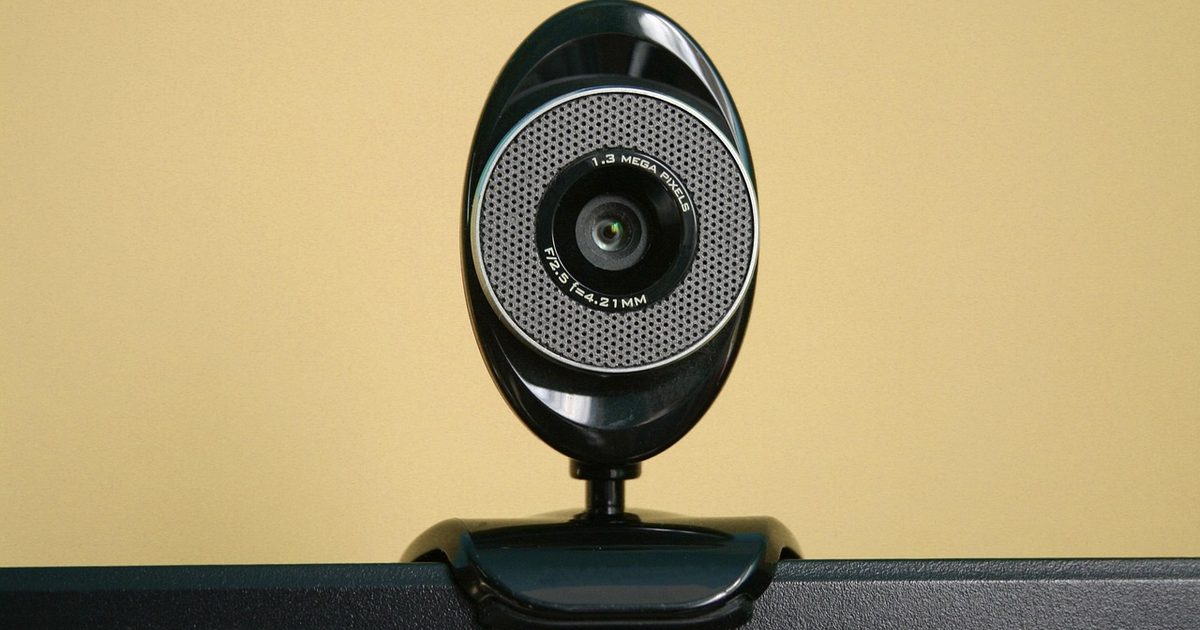
Shopping for a webcam is a quick lesson in paying for numbers you will never use. The boxes shout about ever-higher resolution and huge sensors, and yet the one thing a work call does to your video is shrink it. Meeting apps compress the picture before it reaches anyone, so past a certain point the extra detail is gone before your first hello. What actually decides how you come across on a call is more ordinary than the spec sheet lets on: whether the camera holds your face in focus, how much of your room it drags into shot, how it copes with a dim afternoon, and how you sound to the person at the other end. The three cameras below are picked for that job. Each is judged on what a call actually uses, not on the number that sells it, and where a maker stays quiet the guide says so.
The three cameras, for a call
1. Logitech C920S HD Pro Webcam (1080p, Autofocus, Privacy Shutter) - Best Overall
HSP Score: 9.0 / 10 - 1080p over a glass lens, with autofocus and a physical privacy shutter. The sensible default.
Capability 8.5/10 - Versatility 8.5/10 - Build 8.9/10 - Value 8.9/10 - Fit 9.8/10
Fit for this guide: For a work call 1080p is the resolution that actually reaches the other side, and this adds autofocus, dual mics and a shutter.
Every pick here is scored out of 10: four marks rate the product and are the same in every guide, and the fifth rates its fit for this guide - how we test and score.
Start with the C920S and most work-call problems are already solved. It shoots 1080p, which is about as much detail as a video call will ever pass along, and it spends the rest on the parts that show on screen: a glass lens rather than plastic, autofocus that keeps your face sharp when you lean in or sit back, and built-in stereo mics for the days you have not got a headset to hand. It also has a physical privacy shutter over the lens, a more convincing way to be off camera than a software switch you have to take on trust. Its field of view is 78 degrees, wide enough for one person at a desk without hauling half the room into shot. For a plain, reliable call camera, it is the safe answer.
Pros
- ✓ 1080p over a glass lens with autofocus, which is the detail and sharpness a call can actually use
- ✓ A physical privacy shutter, so the lens is covered rather than trusting a software switch
Cons
- ✗ At 78 degrees it frames one person well, but a second face at the same desk sits tight
- ✗ It connects over USB-A, so a laptop with only USB-C ports will need an adapter
Who it's for: Anyone who wants a camera that looks good on Teams or Zoom straight out of the box and never has to think about it again.
Who it's not for: Anyone filming polished video for an audience rather than joining a call, where a higher-resolution camera earns its keep.
2. Logitech Brio 100 Full HD Webcam (1080p, Auto Light, Privacy Shutter) - Best Budget
HSP Score: 8.6 / 10 - 1080p with auto light correction and an integrated privacy shutter. The spend-less route.
Capability 8.0/10 - Versatility 8.5/10 - Build 8.9/10 - Value 8.9/10 - Fit 8.9/10
Fit for this guide: It gives the 1080p a call transmits, an integrated privacy shutter and auto light correction, without the extras you will not use.
The Brio 100 is Logitech's smaller, simpler take on the same job, and it gets the important thing right: it is a 1080p camera, so what it sends down a call is no worse than the C920S. Where it pares back is on the extras. Its focus is fixed rather than automatic, so it looks best when you sit a fairly steady distance from the screen and cannot sharpen up if you lean right in. It carries a single built-in mic, and its auto light correction does a fair job of lifting a dim room so you are not a silhouette against the window. It keeps a physical privacy shutter, which we are glad to see, and its field of view is a tighter 58 degrees, which for one talking head is no bad thing. If you just want to turn up to calls looking clear and evenly lit, without the autofocus you will rarely miss on a call, it is an easy choice.
Pros
- ✓ A 1080p image, the same call-ready resolution as the C920S
- ✓ Auto light correction and a physical privacy shutter both kept, not cut
Cons
- ✗ Focus is fixed, so it cannot sharpen up when you lean in close
- ✗ A single built-in mic, so a headset or separate mic is worth having for longer calls
Who it's for: Anyone who wants a clear, well-lit 1080p call camera and sits a fairly steady distance from the screen.
Who it's not for: Anyone who moves around a lot on camera, where fixed focus will let them drift soft.
3. Anker PowerConf C200 2K Webcam (AI Noise-Cancelling Mics) - Best Premium
HSP Score: 8.3 / 10 - 2K resolution with AI noise-cancelling mics. The buy-once pick.
Capability 8.9/10 - Versatility 8.0/10 - Build 8.9/10 - Value 8.0/10 - Fit 8.0/10
Fit for this guide: Its 2K sharpness is mostly thrown away on a call, so the real upgrade here is the AI noise-cancelling of its mics.
The step up here is the Anker C200, and it is worth being clear about what that step actually buys. Its headline feature is a 2K sensor, but a video call will not carry that extra detail to the far end however sharp your own side looks, so the resolution mostly benefits local recordings you make yourself. What does earn its place on a call is the AI noise-cancelling on its mics, which works to strip out keyboard clatter and background hum so the person listening hears you rather than your room. That, not the pixel count, is the reason to pick it. The trade-off is that it drops the physical privacy shutter both Logitechs have, so covering the lens here means a stick-on cover or turning the camera to face the wall. Choose it if how you sound on a call matters to you more than another crisp face on the grid.
Pros
- ✓ AI noise-cancelling on its mics, which cleans up keyboard and room noise for whoever is listening
- ✓ A 2K sensor for sharp local recordings when you are not on a live call
Cons
- ✗ No physical privacy shutter, unlike both Logitechs, so covering the lens takes an add-on
- ✗ Its 2K resolution is largely wasted on a call, which compresses the image anyway
Who it's for: Anyone whose first priority is sounding clear to the other side, or who also records sharp local video off-call.
Who it's not for: Anyone who wants a hardware lens cover, or who only ever joins live calls where the 2K never shows.
Quick verdict
For most work calls the camera we would fit is the Logitech C920S HD Pro Webcam (1080p, Autofocus, Privacy Shutter): 1080p is all a call carries, and the C920S adds autofocus, a glass lens and a physical privacy shutter on top. If you want that same call-ready 1080p with fewer extras, the Logitech Brio 100 Full HD Webcam (1080p, Auto Light, Privacy Shutter) keeps the shutter and the auto light and simply drops the autofocus. And if clean audio matters to you more than a slightly sharper picture, the Anker PowerConf C200 2K Webcam (AI Noise-Cancelling Mics) makes its case on the noise-cancelling mics, though its 2K resolution and its missing hardware shutter both count against it for a call.
What a work call actually needs from a camera
- Resolution is the spec that sells cameras and the one a call throws away. A meeting app compresses and downscales your video on the way out, so a 2K or higher sensor spends most of its detail before the call ever sends it. A clean 1080p image, which every pick here manages, is as much as the other side is going to see. Put the money on the lens, the focus and the light instead.
- Field of view decides how much of your room turns up. The C920S frames at 78 degrees, which holds one person without much of the wall behind them; the Brio 100 is tighter still at 58 degrees. Ultra-wide cameras that boast a big view are built for a group around a table, and on a solo desk they mostly invite the clutter behind you into the shot. Narrower is usually the friend of a tidy call.
- Focus and light do more for how you look than megapixels. Autofocus keeps you sharp as you move, which is the C920S's edge over the fixed-focus Brio 100. Auto light correction, which the Brio 100 has, lifts a dim room so you are lit from the front rather than left as a shadow against a window. Lighting your face from the front does as much for a call as any camera setting, and a monitor light bar throwing its light onto the desk in front of you beats a lamp off to the side; our monitor light bar guide covers those.
- The mic and the shutter are the two details people forget. A webcam's own mics are fine for a quick call, but for anything longer a headset, a dedicated microphone or a hands-free speakerphone will sound better to whoever is on the other end, because the camera sits too far from your mouth. A physical privacy shutter, which the C920S and Brio 100 both have, is a surer way to be off camera than a software switch. And get the camera to eye level first: a webcam perched on a low laptop looks up at your chin. If your screen already sits on a stand or an arm, that is half solved, and our monitor arm guide covers getting the screen, and the camera on top of it, to the right height.
How we chose
We started from the call, not the camera. Each pick had to answer one question: does it make you look and sound better on a work call, or does it only win a spec sheet? That is the test that set the order here, and it is why the camera with the biggest sensor lands third. None of the three has been on our own desks, so they are marked spec-checked rather than hands-on, and every figure comes from the maker's live listing read on the day, with nothing invented where a listing goes quiet. No maker paid to appear, and you will not see prices or star ratings on the page: they change too often for it to keep up.
FAQ
Q: Is a higher-resolution webcam worth it for calls? A: For a call, not really. Meeting apps compress and shrink your video, so most of the detail from a 2K or higher sensor never reaches the other person. A solid 1080p camera, like all three here, sends everything the call can carry, so the money is better spent on focus, framing and lighting.
Q: Is a webcam actually better than my laptop's built-in camera for work calls? A: Almost always. A laptop camera is a tiny sensor squeezed into a thin lid and angled up at your chin. A separate webcam sits at eye level on top of your screen, uses a bigger lens, and focuses and lights better. It is one of the easiest upgrades to how you come across on a call.
Q: Does a webcam's built-in mic sound good enough? A: For short calls, yes. For anything longer, a headset or a dedicated microphone will sound clearer to the people listening, because a webcam's mics sit an arm's length from your mouth. Treat the camera as the picture and the audio as a separate decision.
Q: Do I need a privacy shutter? A: It is reassuring rather than essential. A physical shutter, which the C920S and Brio 100 both have, blocks the lens itself, which many people trust more than a software "camera off". The Anker C200 leaves it out, so if that matters to you, factor in a stick-on cover.
Q: Will these work with Teams, Zoom and Google Meet? A: Yes. All three connect over standard USB, and the main meeting apps let you choose your webcam in their camera settings on Windows or Mac. Webcams like these are plug and play, so there is nothing to install before your first call.
Affiliate disclosure: This page contains affiliate links. As an Amazon Associate we earn from qualifying purchases, at no extra cost to you. See our disclosure page for details.