
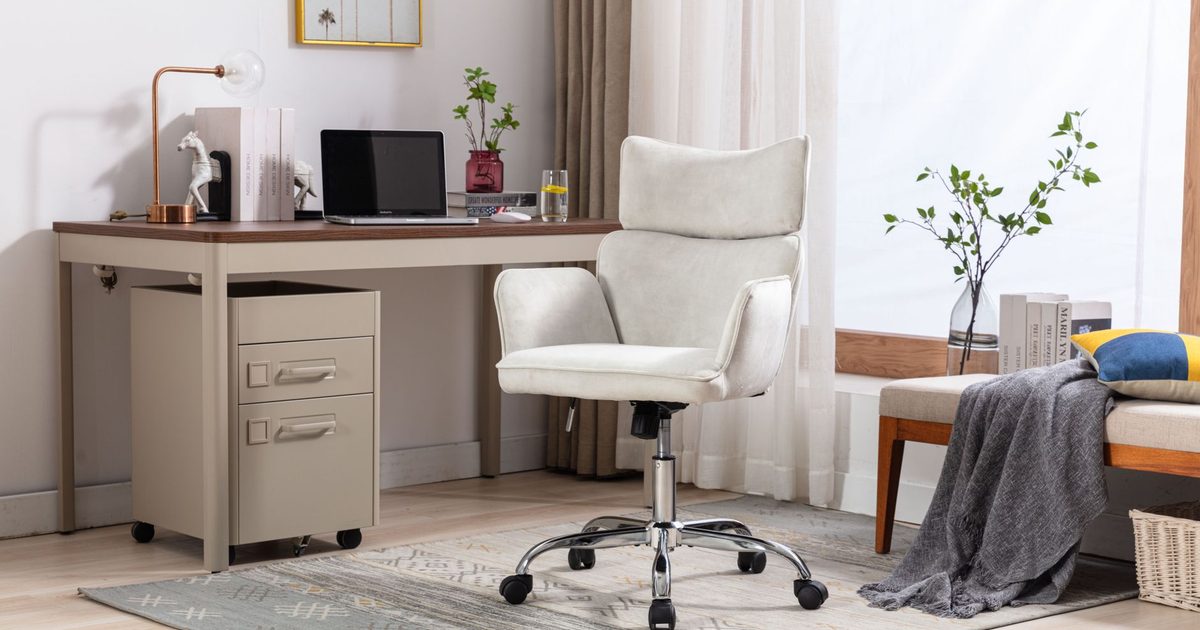
Do the arms clear your desk? That is the real test
Before you weigh whether armrests feel nice, check whether they let you sit where you need to. The Health and Safety Executive's workstation checklist is blunt about the failure case: "The arms of chairs can stop the user getting close enough to use the equipment comfortably." So arms are only an asset while the chair still pulls right up to the desk with them on. The moment they catch on the desk edge or a keyboard tray and hold you back, they have cost you more than they give, because now you are reaching forward to type.
The check takes a tape measure and two numbers. The first is the height of your desk edge from the floor, or the underside of a keyboard tray or a shallow drawer if your desk has one. The second is the lowest point the chair's arms reach, which a listing gives as an armrest height or an adjustment range. If the arms sit below the desk edge at their lowest, the chair tucks under and you are close in. If they sit above it, the chair stops short. Arms that fold up or lift away skip the sum altogether, since you raise them out of the way as you push in.
Fixed, adjustable, flip-up, removable or none
"Has it got arms" is the wrong question. "What do the arms do" is the one that decides it, and there are only a handful of answers.
- Fixed arms do not move at all. They are the cheapest to make and the most likely to fail the desk check, because there is no way to drop them under a high desk or a tray.
- Height-adjustable arms slide up and down, so you can set them under the desk edge or up to meet your forearms. The more elaborate ones also shift forward and back or pivot inward; the mesh chair in our office chair guide moves its arms in three of those planes.
- Flip-up arms fold straight up, so the chair slides fully under the desk when you stand. That is why they turn up on compact chairs built for tight rooms.
- Removable arms unbolt and come off for good, a one-time decision rather than a daily one.
- No arms at all is a fair answer, not a downgrade. On a shallow desk or in a corner, a chair with no arms always clears, and the checklist names the desk surface itself as somewhere to rest your forearms.
None of these is "the ergonomic type" in the abstract. The right one is whichever passes the desk check in your room; after that it comes down to how much you value folding them away against never having to think about them.
What the arms are for once they fit
Armrests are somewhere to rest your forearms in the gaps, when your hand is on the mouse rather than mid-sentence on the keyboard. The checklist spells that out in its section on the mouse, asking "Is there support for the device user's wrist and forearm?" and answering that "Support can be gained from, for example, the desk surface or arm of a chair. If not, a separate supporting device may help." So a chair arm is one route to that support, the desk edge is another, and a wrist rest is the separate supporting device the checklist points to when neither reaches.
What the arms do not do is set your working height. That is the seat's job: you bring the chair up until your forearms sit level with the desk, and only then raise the arms to meet them. If you skip ahead and set the arms before the seat, they land in the wrong place the instant the seat moves, so set the seat height first and treat the arms as the last adjustment, not the first.
FAQ
Q: Do you really need armrests on an office chair? A: No, not as a rule. Armrests give your forearms somewhere to rest when your hands are off the keyboard, but the HSE's checklist is clear that arms which stop you pulling up to the desk do more harm than good. A chair with the right seat and back and no arms, or arms you would only fold away, is a sound choice rather than a compromise, and often the better one on a small or shallow desk.
Q: Which armrest type is best? A: There is no single best type, only the one that clears your desk and suits how you work. Height-adjustable arms suit most desks because you can drop them under the edge; flip-up arms suit a small room because the chair slides fully away; no arms suit a shallow desk where anything fixed would catch. Measure your desk-edge height against the arm's lowest setting and let that decide, not a count of features on the listing.
Q: Should armrests touch the desk? A: No. If the arms rest on top of the desk, they are propping the chair out from it, which is the clearance problem the HSE warns about. You want the arms to pass under the desk edge so the chair tucks in, with your forearms supported by the arms, the desk surface or a wrist rest as you work, rather than perched on the desktop.
Q: Can you take the armrests off an office chair? A: On some chairs, yes. Removable arms unbolt from the seat base, and flip-up arms fold out of the way with no tools at all. Fixed arms are built in and will not come off without modifying the chair, so if you suspect you will want them gone, check the listing for "removable" or "flip-up" before you buy rather than planning to saw them off later.