
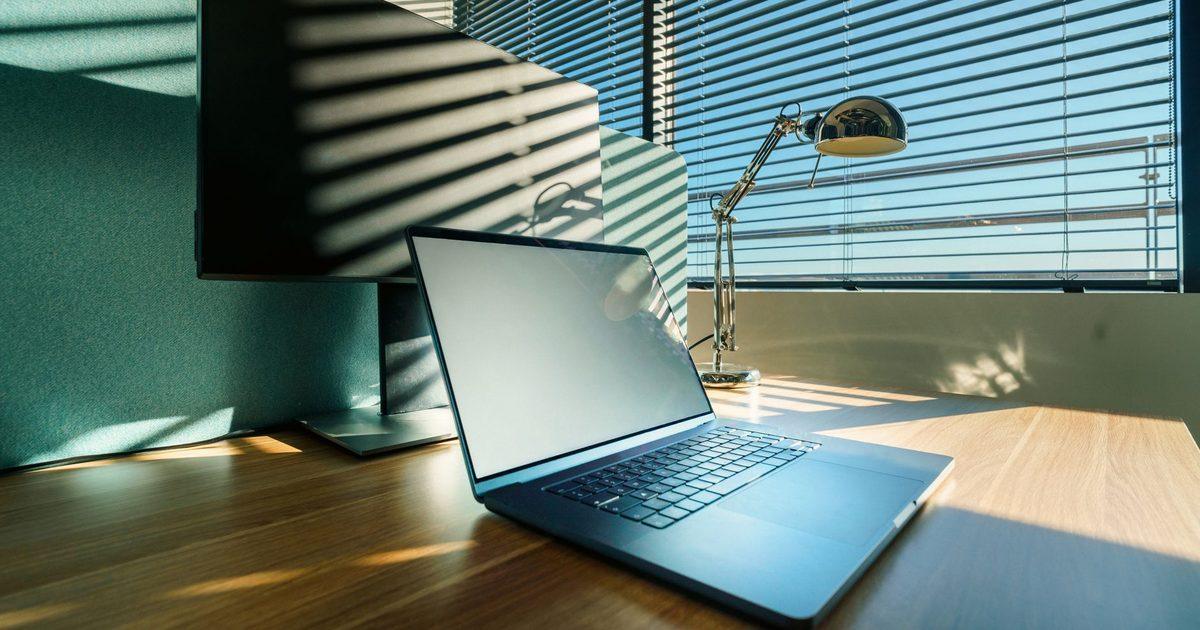
Find the source before you move the monitor
Glare is almost never the screen's fault. It is a light behind you, a window to one side or a lamp pointing the wrong way, landing on the glass and bouncing back at you. So the first job is to find which light it is, and the Health and Safety Executive's workstation checklist gives a neat trick for that: "Use a mirror placed in front of the screen to check where reflections are coming from." Whatever the mirror shows you from the screen's position is what is bouncing off the glass at you.
Once you can name the source, the checklist's own fix is to move the thing causing it rather than to cover the symptom: "You might need to move the screen or even the desk and/or shield the screen from the source of the reflections." A quarter-turn of the monitor often clears a reflection on its own. So can sliding the desk so the window sits to one side, rather than behind or in front of you, where no accessory would have reached.
The screen's own angle is part of this. A monitor tilted back a few degrees throws a ceiling light's reflection up and away from your line of sight. The checklist also notes you are not stuck with a screen that will not move: "Swivel and tilt need not be built in; you can add a swivel and tilt mechanism." A monitor arm is the usual way to add that movement to a screen whose own stand is fixed. It lets you swing the screen off a reflection without shifting the whole desk.
Windows and blinds
A window is the brightest thing in most rooms, so it is the first reflection to beat. The checklist is plain about where to start: "Check that blinds work. Blinds with vertical slats can be more suitable than horizontal ones." Vertical slats turn to block low side-on sun through the day without dropping the room into darkness. That is why they tend to suit a desk better than a horizontal blind, which is either all the way up or all the way down.
If you are placing a desk from scratch, the easiest win is to sit side-on to the window rather than facing it or backing onto it. Facing the window puts bright sky behind your screen and washes the picture out; backing onto it drops the window's reflection straight onto the glass. Side-on keeps the daylight for the room and off the screen. Getting the screen itself to the right height and distance while you are at it is a separate job, and our guide on where your monitor should sit covers that.
Lamps that light the desk, not the glass
Room lighting is the glare people forget, because a ceiling light feels neutral until it is sitting in the middle of your screen. The checklist's steer is to light the work rather than the wall: "Consider shading or repositioning light sources or providing local lighting, eg desk lamps (but make sure lights don't cause glare by reflecting off walls or other surfaces)." A desk lamp angled down at the paper or keyboard keeps bright surfaces out of the screen's line of sight. So does a bar that clips to the top of the monitor and throws its light forward onto the desk.
A monitor light bar is the tidiest version of that, because it sits above the screen and points down at the desk with nothing on the glass itself. BenQ markets its bar as "Glare-Free" for exactly this reason, which is the manufacturer's own product name for the effect rather than a claim we are testing. If a light that stays off the screen is the gap in your setup, the options are in our monitor light bar guide.
Filters, matte screens and dark text
Only when the room is sorted do the on-screen fixes earn their place, and the checklist is blunt about the order: "If these measures do not work, consider anti-glare screen filters as a last resort and seek specialist help." A filter is the last move, not the first, because it dims the picture as well as the reflection and it cannot do anything about a window you never moved.
Two cheaper changes sit above the filter. A matte panel scatters a reflection instead of mirroring it, so a bright source reads as a soft haze rather than a sharp image. It reduces a reflection rather than removing it. And the plainest setting of all is the one the checklist singles out: "Screens that use dark characters on a light background are less prone to glare and reflections." A document in dark text on white, rather than white text on a dark theme, simply gives a reflection less dark area to show up against.
FAQ
Q: Do anti-glare screen filters work? A: They help, but the HSE lists them as a last resort rather than a first fix, and for good reason. A filter dims the whole image along with the reflection, and it does nothing about the window or lamp that is causing the glare in the first place. Move or shield the light source first and reach for a filter only when the screen is still catching a reflection you cannot move.
Q: Does a matte screen remove glare? A: It reduces it rather than removing it. A matte finish scatters incoming light so a bright source shows up as a soft haze instead of a sharp mirror image, which is easier to look past. A strong reflection, such as a window straight behind you, will still show through, so a matte panel is a help on top of fixing the room, not a substitute for it.
Q: Where should I put my desk to avoid glare? A: Side-on to the window is the usual answer. Facing the window puts bright sky behind the screen; backing onto it lands the window's reflection on the glass. With the desk turned so the window is to one side, the daylight lights the room without bouncing off the screen, and a working blind handles the hours when the sun is low.
Q: Why can I see myself in my monitor? A: That is a reflection of a light source behind or above you, usually a window or a ceiling light, and the mirror test will show you which one. Hold a mirror where the screen sits and whatever you can see in it is what the screen is bouncing back. Move or shield that light, or angle the screen away from it, and the reflection goes with it.