
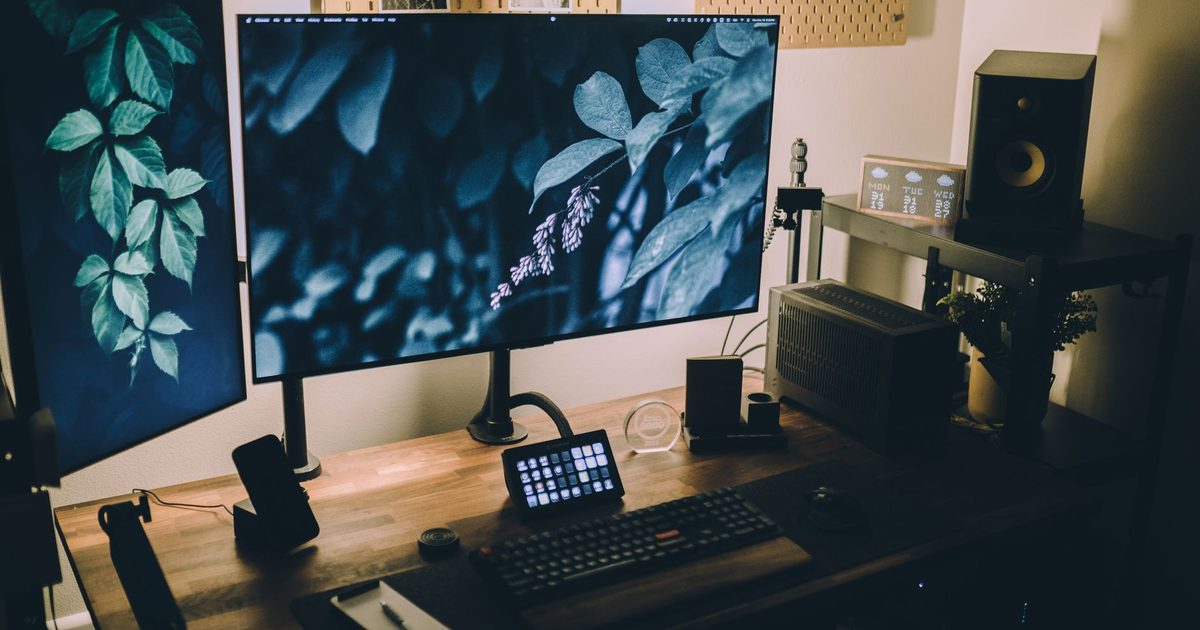
Two monitors change the maths. A single arm only has to balance one screen over one clamp; a dual mount asks one desk edge to carry both, keeps two heads level with each other, and still leaves enough reach for the second screen to swing where you want it. That is why a dual arm is not simply two single arms bolted together. The numbers that decide it are the weight each arm is rated to hold, whether the two screens hang off one shared pole or each rides its own independent arm, and the VESA pattern and desk edge they both have to share. This guide leads with those, and scores three UK-available dual arms on what their own listings actually publish, not on how many screens the product photo happens to show.
Top picks
1. BONTEC Gas Spring Dual Monitor Stand (13-32in, 9kg per arm, VESA 75/100) - Best Overall
HSP Score: 9.2 / 10 - Gas-spring arms, 9kg each, both VESA patterns, 13 to 32 inch. The sensible default.
Capability 9.8/10 - Versatility 9.4/10 - Build 8.0/10 - Value 8.9/10 - Fit 9.4/10
Fit for this guide: The gas-spring default for two everyday screens, smooth to reposition and rated to nine kilograms on each arm.
Every pick here is scored out of 10: four marks rate the product and are the same in every guide, and the fifth rates its fit for this guide - how we test and score.
This is the one to reach for first because it fits the two-screen setup most people actually have: a pair of 24 to 27 inch panels, with the headroom to take a 32 inch screen if one of them is larger. Its listing rates each arm to 9kg and takes both VESA patterns (75x75 and 100x100), on a C-clamp or a grommet mount, so it suits the monitor you own and the desk you own. The gas spring is the reason it leads over the budget pick: you nudge a screen up, down or into portrait and it stays put, rather than needing a tool and a re-tighten each time you change seats. Tilt, swivel and a full 360-degree rotation are listed on each head. The number to check first is that 9kg per-arm rating against your heavier monitor, stand excluded.
Pros
- ✓ 9kg per arm with both VESA patterns, the two figures that decide fit for each screen
- ✓ Gas spring holds position after a one-handed nudge, no tool needed to re-level
- ✓ C-clamp and grommet mounting both listed, so an awkward desk edge has a fallback
Cons
- ✗ A heavy 32in panel sits near the 9kg per-arm ceiling, with little headroom left
- ✗ Publishes no warranty figure we could verify, unlike the premium pick's decade
Who it's for: Anyone putting two ordinary screens at eye level and wanting to reposition them without tools.
Who it's not for: Owners of two heavy or very large panels, who should weigh each one and read the premium pick.
2. BONTEC Dual Monitor Arm (13-27in, 10kg per arm, VESA 75/100) - Best Budget
HSP Score: 9.0 / 10 - Full-motion steel arms, 10kg each, both VESA patterns. The spend-less route.
Capability 9.4/10 - Versatility 9.4/10 - Build 8.0/10 - Value 8.9/10 - Fit 8.9/10
Fit for this guide: The spend-less route for two ordinary monitors, full-motion arms that each carry up to ten kilograms.
The honest budget case: if your two screens are a common size and your desk has a normal edge, this steel mount does the job that matters, which is to get both panels off their factory stands and up to a shared eye level. Each arm is rated to 10kg over 13 to 27 inch screens, with both VESA patterns and a choice of C-clamp or grommet, and the heads tilt, swivel and rotate through 360 degrees with height adjustment up to 430mm. The trade against the overall pick is the movement: these are full-motion friction arms, not gas spring, so you loosen, move and retighten rather than nudging a balanced screen by hand. For a setup you position once and leave, that is a fair saving rather than a real loss.
Pros
- ✓ 10kg per arm, the highest per-arm rating here, in steel over a 13 to 27 inch range
- ✓ Both VESA patterns and both mount types (C-clamp or grommet) listed
- ✓ Height adjusts up to 430mm, with tilt, swivel and full rotation on each head
Cons
- ✗ Friction arms, not gas spring, so repositioning means loosen, move and retighten
- ✗ Tops out at 27 inch per screen, so a 32 inch panel is outside its stated range
Who it's for: Two everyday monitors, a normal desk edge, and a preference for spending less on a set-and-leave setup.
Who it's not for: Anyone who reconfigures their screens daily, or runs a panel above 27 inches.
3. Ergotron LX Dual Side-by-Side Arm (two screens to 27in, 3.2-9.1kg per arm) - Best Premium
HSP Score: 9.1 / 10 - Constant Force lift, two screens to 27in, 3.2 to 9.1kg per arm, 10-year warranty. The buy-once pick.
Capability 9.4/10 - Versatility 9.4/10 - Build 9.8/10 - Value 8.5/10 - Fit 8.5/10
Fit for this guide: The buy-once pick for side-by-side screens, Constant Force arms and a ten-year warranty from Ergotron.
The LX Dual is what you buy when the setup has to last and move smoothly for years rather than months. Ergotron rates it for two screens up to 27 inches each, across a published 3.2 to 9.1kg per-arm range, on a desk clamp or grommet, with two articulating arms on one pole so each screen pans, tilts and rotates on its own. Instead of a gas spring it uses Ergotron's Constant Force lift, which is the mechanism the 10-year warranty is really insuring; that warranty says more about the internals than any adjective could. The honest caveat is in the value score: a pair of ordinary monitors never loads this envelope or wears out a cheaper arm's joints inside its life, so you are paying for longevity you may not need.
Pros
- ✓ Ergotron's 10-year warranty, the only verified warranty figure among these three
- ✓ Constant Force lift instead of a gas cartridge, the part that longevity really rests on
- ✓ Aluminium build on a single desk-clamp or grommet pole, so two screens take one mount point
Cons
- ✗ Priced for a longevity an ordinary two-screen desk may never call on
- ✗ Built for screens up to 27 inches, so a larger panel wants a different Ergotron entirely
Who it's for: Anyone who wants the dual mount bought once and forgotten, or runs the screens hard all day.
Who it's not for: A pair of standard monitors on a budget - the overall pick covers that for far less.
Quick verdict
For most two-screen desks the BONTEC Gas Spring Dual Monitor Stand (13-32in, 9kg per arm, VESA 75/100) is the dual arm to buy: a 9kg per-arm rating, both VESA patterns, and a gas spring that lets you reposition a screen by hand. The budget route asks one question first - do you set your screens once and leave them? If so, the BONTEC Dual Monitor Arm (13-27in, 10kg per arm, VESA 75/100) does the two-screen job in steel for less. And if you want the mount bought once with a decade-long warranty behind it, it's the Ergotron LX Dual Side-by-Side Arm (two screens to 27in, 3.2-9.1kg per arm).
What a second screen adds to the maths
A dual arm is bought on the same ideas as a single arm, with one extra load on each of them.
- Weight, per arm and combined. Check each monitor's panel weight (in its spec sheet, stand excluded) against the arm's per-arm rating, and leave headroom. Then remember the clamp holds both at once: the desk edge feels the combined weight even though each arm is rated on its own. Our single-screen monitor arm guide covers the one-screen version of this if a dual setup turns out to be more than you need.
- Independent arms, not a fixed crossbar. Every pick here gives each screen its own articulating arm on a shared pole, so you can angle the pair toward you in a shallow V, or swing one aside for a meeting and leave the other square on. A cheaper rigid crossbar holds two screens in one flat line instead, with far less give. If you want to position the two separately, that independence is the feature worth paying for.
- VESA and the desk edge they share. Both screens need the four-hole VESA square the arm takes (75x75 or 100x100 here), and the clamp needs a few centimetres of solid, accessible edge to grip. Our VESA compatibility guide walks through finding the pattern and the no-holes case, and the desk-fit guide measures the edge and the grommet route. If one screen stays put at a height that already suits you, a riser rather than an arm may be the simpler call for it.
Getting the two heights right is the same job as on a single screen: bring the top of each panel level with your eyes. Our monitor height guide walks through the HSE rule, and a dual arm makes matching the two easy because you set each one by hand.
How we chose
Home Setup Picks is new, and we would rather be straight about method than imply long-term testing we have not done: these are spec-checked picks. We verified each product's live UK listing, read the published figures that matter for a two-screen mount - per-arm weight rating, screen-size range, VESA support, mount type, movement mechanism, warranty - and scored all three against the same rubric we use on every guide. Where a listing publishes less, the score reflects that rather than filling the gap with optimism, which is why the two BONTEC picks carry no warranty figure. No sponsored placements, and no prices or star ratings repeated here, because listings drift and you should check the live page.
FAQ
Q: Can I mount two different-sized monitors on one arm? A: Usually yes, as long as each screen sits inside the arm's stated size range and under its per-arm weight rating on its own. A matched pair is routine on all three picks; mixing a small panel with a much larger one only works on the arm whose range reaches the bigger screen, which here is the overall BONTEC with its wider span.
Q: Do both my monitors need the same VESA pattern? A: Each monitor just needs one of the patterns the arm supports (75x75 or 100x100 on these picks); the two screens do not have to match each other. Check the back of each monitor for the four-hole square, or search its model number plus "VESA". A screen with no holes needs its maker's adapter plate first.
Q: Does a two-screen setup need extra cable management? A: A second screen adds another set of power and video cables across the desk, so a mount that routes them down the pole or crossbar keeps the clean-desk win. Our desk mat and cable management guide covers the rest of the run.
Q: Will a dual arm fit my desk? A: A dual clamp grips the same kind of edge a single arm needs, but it carries both screens together, so a flimsy or very thin top feels that combined load. Glass tops, very thick edges and spots over a support beam are the usual blockers; a grommet mount through a cable hole is the fallback where the listing includes one. Our desk-fit guide measures it properly.
Q: What if one of my monitors is heavier than the other? A: That is fine as long as the heavier screen is under the per-arm rating on its own, because each arm carries its own screen rather than sharing a load. Set the tension on each arm to its screen; a lighter panel on the other side simply needs less.
Q: Should I get a dual arm or two single arms? A: A dual arm on one pole keeps a tidy centre and takes one clamp point; two single arms give each screen its own base and a wider total spread, but use two clamp points and cost more. For a standard side-by-side pair, one dual mount is the simpler and cheaper route. Our single monitor arm guide covers the one-screen case.
Affiliate disclosure: This page contains affiliate links. As an Amazon Associate we earn from qualifying purchases, at no extra cost to you. See our disclosure page for details.